Web Server Setup
-
Make sure the IIS is up and running
a. If not, to install IIS under Windows XP or related please do as follow under add/remove software
Figure: Windows Components Wizard — select Internet Information Services (IIS) (13.5 MB)
Figure: IIS sub-components — ensure World Wide Web Service (2.3 MB) is checked
Figure: World Wide Web Service sub-components — World Wide Web Service (1.9 MB) checked
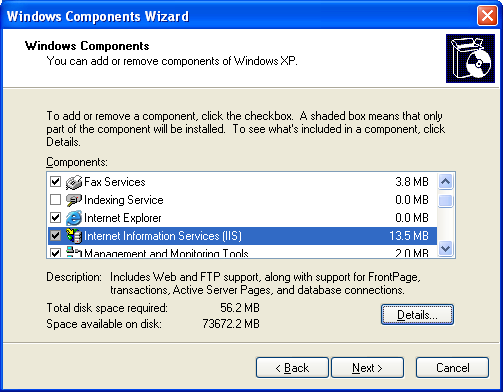
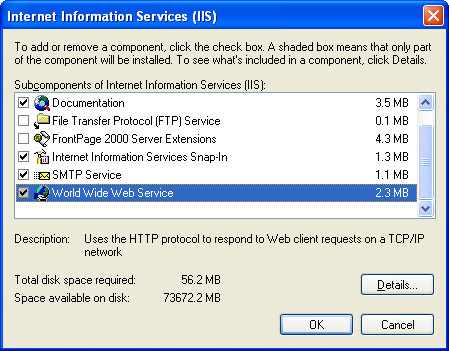
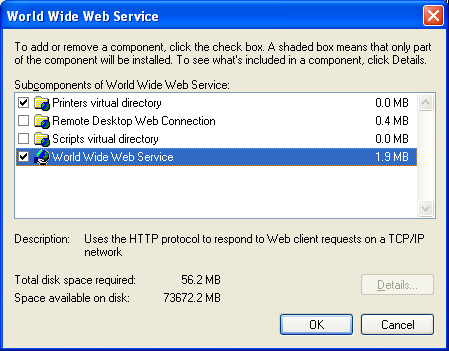
-
Install \'msxml.msi\' (very important) this components is also available at http://www.microsoft.com/downloads/details.aspx?FamilyID=3144b72b-b4f2-46da-b4b6-c5d7485f2b42&DisplayLang=en
-
copy all reports file into c:\HView\MMIReport
-
On HView folder right click on \'MMIReport\' then choose properties
Figure: C:\HView folder in Explorer — right-click on MMIReport folder
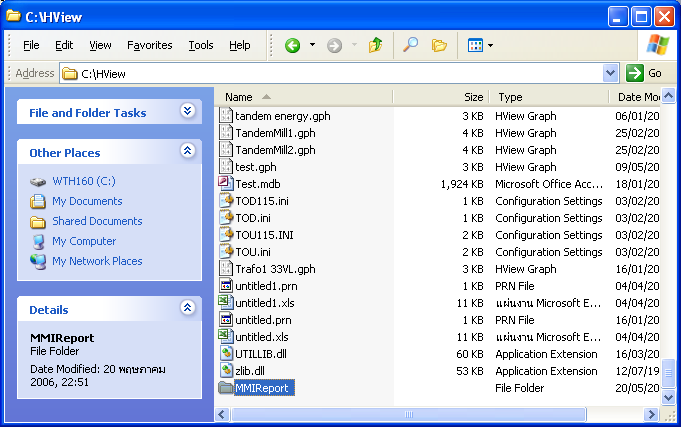
- goto \'Web Sharing\' tab
Figure: MMIReport Properties → Web Sharing tab — choose ● Share this folder
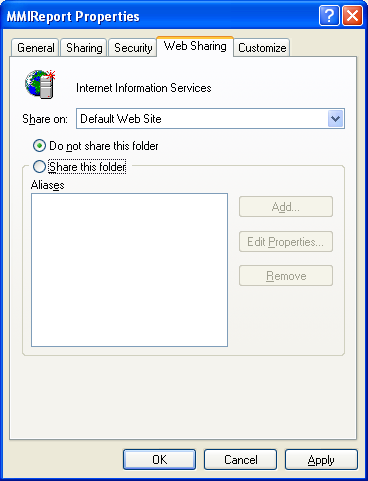
- Choose \'Share this folder\' then the system will prompt as below figure and should click Ok
Figure: Edit Alias dialog — Directory: C:\HView\MMIReport; Alias: MMIReport; ☑ Read; Application permissions: ● Scripts
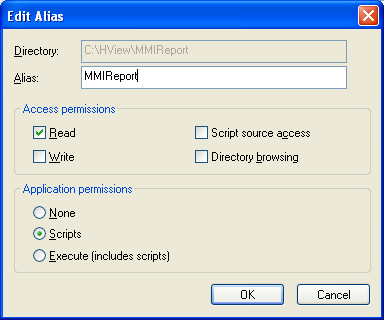
-
Click Ok again to finish
-
Allow everybody to access this report
a. Goto Control Panel Administrative Tools Internet Information Services
b. Goto Servername Web Sites Default Web Site MMIReport or Report
c. Right click on MMIReport
d. Goto \'Directory Security\' tab
Figure: MMIReport_Local Properties → Directory Security tab — click Edit under Anonymous access and authentication control
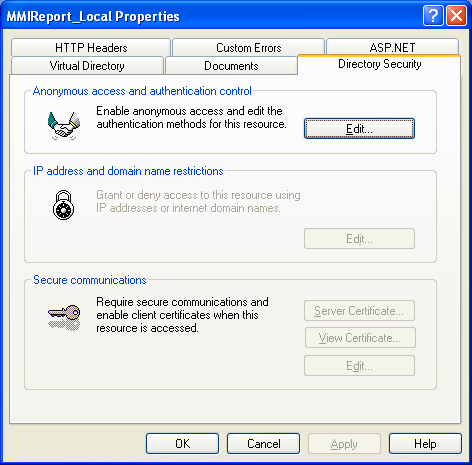
e. Click \'Edit\' on \'Anonymous access and authentication control\'
f. Check on \'Anonymous access\' other option must leave as is
Figure: Authentication Methods — ☑ Anonymous access (User: IUSR_WTPC64); ☑ Integrated Windows authentication
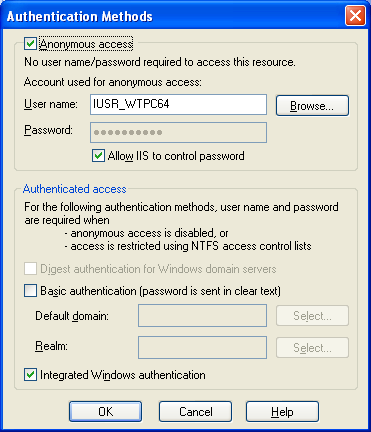
g. Click Ok until finish
- Set default documents to \'index.htm\'