Database Backup
เป็นโปรแกรมสำหรับสำรองข้อมูล และ นำกลับมาใช้งาน
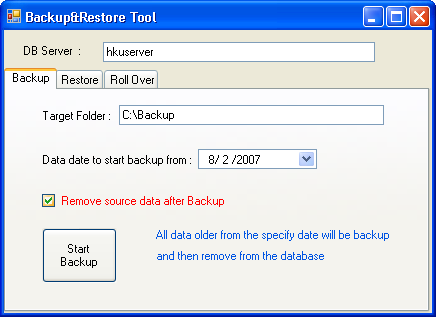
Figure: Backup&Restore Tool — Backup tab; DB Server: hkuserver; Target Folder: C:\Backup; Data date to start backup from; ☑ Remove source data after Backup; Start Backup
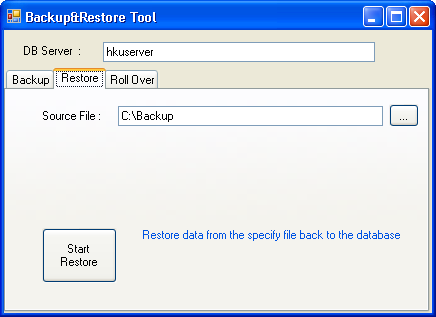
Figure: Backup&Restore Tool — Restore tab; DB Server: hkuserver; Source File: C:\Backup; Start Restore
Physical Folder Backup
To perform the folder backup, you must stop the database server. To stop the server, please go to \'SQL Server Configuration Manager\' under SQL program group, then right click on the running service and choose \'Stop\'. After finish backup, you must start the service again or reboot the whole system.
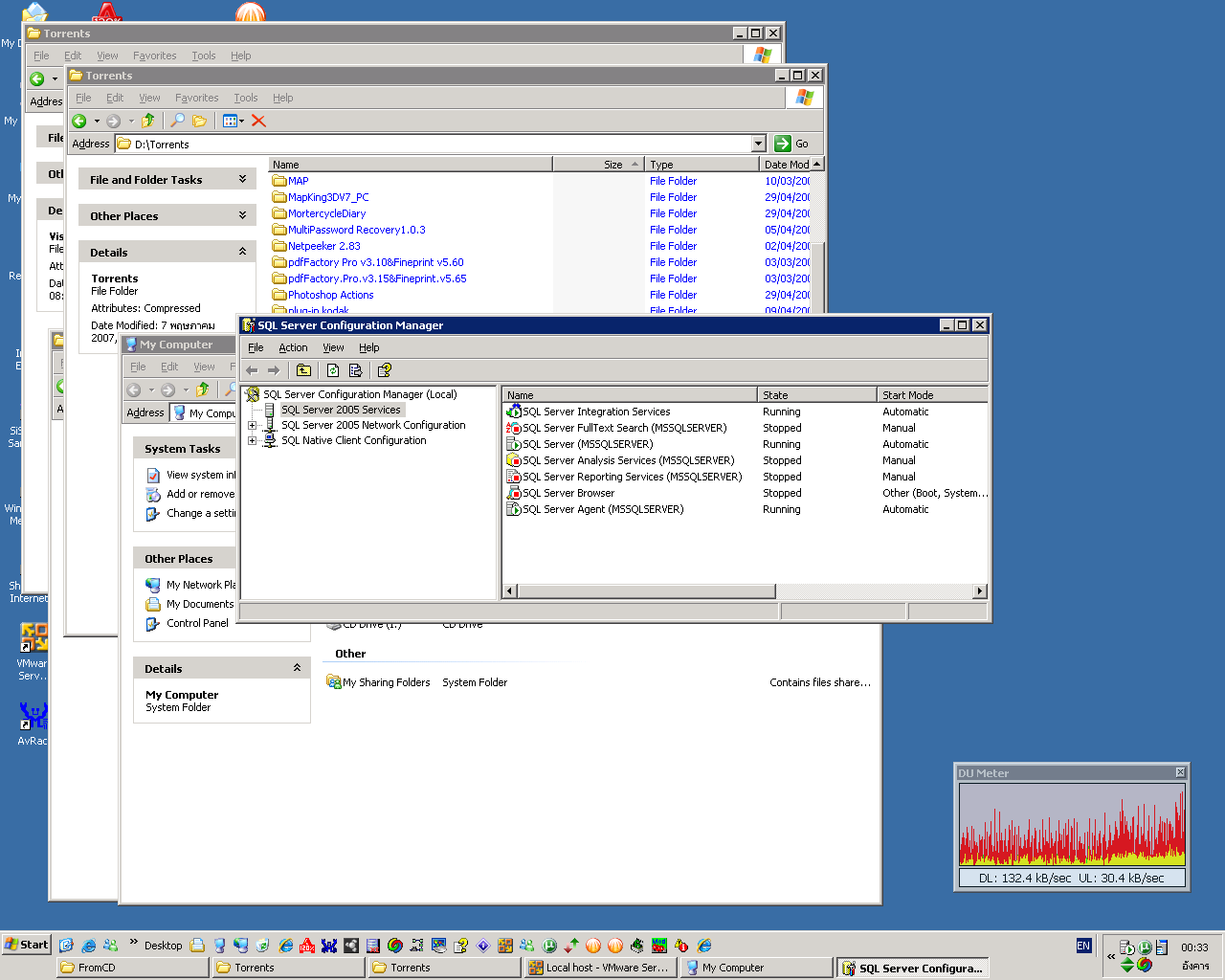
Figure: SQL Server Configuration Manager — SQL Server 2005 Services showing service states (SQL Server (MSSQLSERVER): Running; SQL Server Agent: Running); right-click to Stop/Start service
Data Rollover
The project setting is to keep history data upto 1900 days. The data before that will automatic remove without any warning. To disable this function, remove the check mark at 'Enable' and click 'Apply'
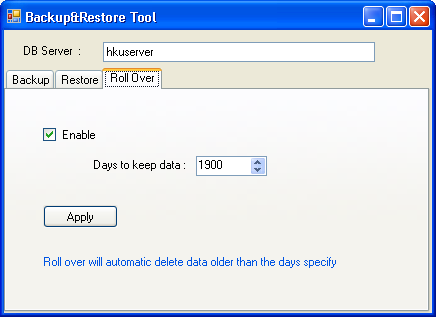
Figure: Backup&Restore Tool — Roll Over tab; ☑ Enable; Days to keep data: 1900; Apply